Recently, we helped a shipping box brand switch to kenaf fiber paper. The client reported a 25% jump in stacking load capacity, but the printing shop nearly revolted—printed designs kept showing fuzzy, smudged patches, and the scrap rate skyrocketed.
What’s the root cause? Kenaf paper has coarse fibers and large surface pores, so its ink absorbency differs drastically from traditional wood pulp paper. Using the same parameters you’d use for regular kraft paper will definitely lead to problems.
After two weeks of troubleshooting, we collaborated with printing technicians to develop the following set of "golden parameters," successfully taming this high-performance eco-friendly paper:
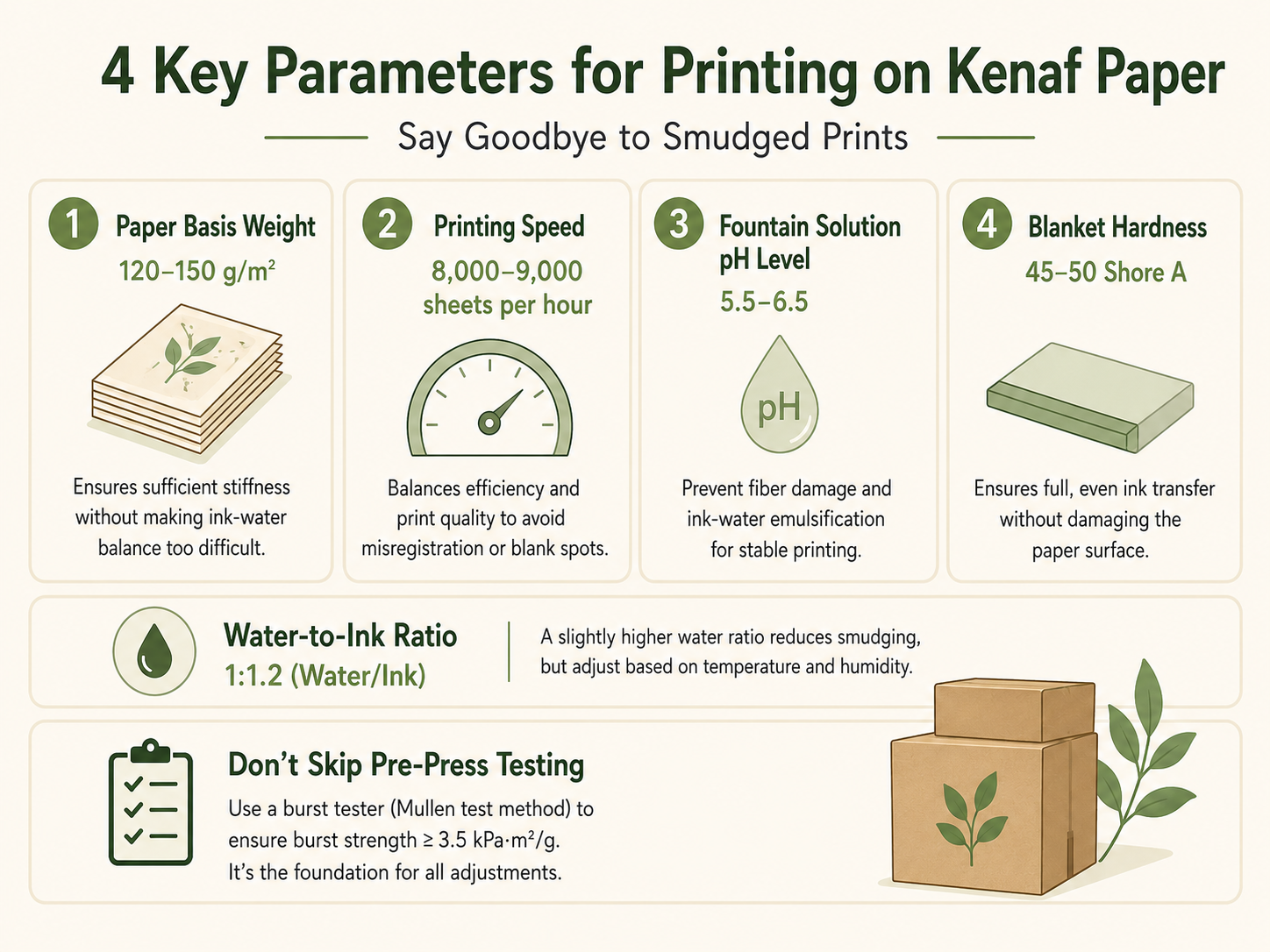
1. Paper Basis Weight: Don’t Go Too Thin—120–150 g/m² Is the Sweet Spot
Paper lighter than 120 g/m² tends to warp during high-speed printing, compromising register accuracy. Paper heavier than 150 g/m² absorbs more moisture, making ink-water balance far harder to adjust. This weight range ensures sufficient stiffness without presenting a tough challenge to your printing press.
2. Printing Speed: Stick to 8,000–9,000 Sheets Per Hour
Printing faster than 10,000 sheets per hour leads to insufficient ink transfer, causing blank spots. Printing slower than 7,000 sheets per hour lets the paper sit in the dampening system too long, spiking moisture content and directly causing misregistration. This speed range strikes the perfect balance between efficiency and print quality.
3. Fountain Solution pH Level: Lock It Between 5.5–6.5
This is the most critical parameter of all. A pH level below 5.5 makes the fountain solution overly acidic, which attacks kenaf fibers, reduces surface strength, and leads to lint buildup and plate blocking during printing. A pH level above 6.5 causes uncontrolled ink-water emulsification, slowing ink drying and increasing the risk of smudging. Use a pH meter and test every hour to maintain consistency.
4. Blanket Hardness: Switch to 45–50 Shore A
Kenaf paper has a burst strength of over 3.5 kPa·m²/g, making it much sturdier than regular kraft paper. Using a blanket softer than 40 Shore A doesn’t provide enough pressure, leading to low ink transfer rates and incomplete prints. A blanket harder than 55 Shore A may damage the paper’s surface. A medium-hard blanket can better penetrate the paper’s micro-pores, ensuring full, even ink transfer.
Finally, Set the Water-to-Ink Ratio to 1:1.2 (Water/Ink)
This is a field-tested empirical value specifically for kenaf paper. A slightly higher water ratio compensates for the paper’s high absorbency, preventing smudges. However, this ratio isn’t fixed—you’ll need to fine-tune it if the workshop’s temperature or humidity shifts. Technicians recommend: if slight water marks start appearing on the edges of prints, reduce the water amount immediately.
Don’t Skip Pre-Press Testing: Before running the press, spot-check the paper with a burst tester (using the Mullen test method) to ensure it meets the promised minimum burst strength of 3.5 kPa·m²/g. This is the foundation for all your printing adjustments.
At the end of the day, adopting new materials isn’t just about chasing eco-friendly hype and physical performance—you also need to respect your printing press’s idiosyncrasies. Get the parameters right, and it will consistently produce sturdy, beautifully printed products.
Have you run into tricky printing issues when testing new eco-friendly papers? Was it misregistration or ink not drying properly? Share your experiences in the comments—let’s troubleshoot together.